


Online Exams Advice
Online Assessment Platform
Flexible, Secure, and Globally Accessible
AIA delivers computer-based exams for its Professional Qualification and specialist diplomas through a secure, cloud-based online assessment platform. This allows you to sit your exams from anywhere in the world—including the comfort of your own home—while maintaining the integrity and rigour expected of a professional qualification.
All AIA assessments are supervised in real-time, ensuring your exam is conducted under strict professional standards. This includes:
- Identity Verification: Confirming the identity of each candidate before the exam begins.
- Secure Environment: Ensuring no unauthorised assistance or materials are present.
- Plagiarism Prevention: Monitoring and systems in place to confirm that all work is your own.
- Live Invigilation: Exams are invigilated remotely to maintain fairness and compliance.
Before your exam session, you’ll receive clear instructions on how to download and access the platform, along with joining details specific to your assessment.
Contact AIA Exams TeamPreparing for Your Online Assessment
For some students, taking an online exam is a new experience and there are a number on steps that need to be taken to ensure that the exam starts as planned. Many of the steps you take to complete an online exam are similar to assessments taken in a classroom environment, however, the online environment does present some differences that warrant a bit of extra awareness and preparation.
- Read the Online Assessment Guide for Students.
- Install Rogo Kiosk prior to your exam. Watch the instructional video here.
- You should also review the wide range of study resources available to help prepare you for the AIA exams.
- Chinese version is available in Youku.
Getting Ready for Your Online Assessment
You can launch AIA’s online assessment platform and attempt a sample examination here. Please note your answers will not be marked.

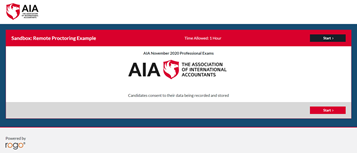
Remember to ensure your system meets the requirements and you use an appropriate browser.
For any issues please contact exams@aiaworldwide.com.
You will be required to sit the exam remotely on your own computer/laptop, either at home or in an approved office environment.
In advance of the test you should confirm you have the required technical equipment to take the assessment.
You must have:
- A functioning webcam and microphone either built into your computer or attached via USB
- Operating system: Windows 8,10
- Browser: Google Chrome
- A stable internet connection with at least 1.5 Mbps download speed, 750 Kbps upload speed
- A smart phone with a minimum operating system of iOS 11 or Android 8.
Note: if accessing the Rogo Kiosk at your place of work or using work equipment please check with your system administrator to ensure you are able to download and access the application.
View the live invigilation guide:
English
Greek/Ελληνικά
Cantonese/廣東話
Mandarin/普通话
If you require further information please view the troubleshooting guide:
English
Greek/Ελληνικά
Cantonese/廣東話
Mandarin/普通话
Note: if accessing the Rogo Kiosk at your place of work or using work equipment please check with your system administrator to ensure you are able to download and access the application.
Please inform AIA’s Exams Team at least six weeks in advance of the assessment of any special need and/or medical condition that may interfere with your performance in the test for which you are requesting a test accommodation.
If you have a documented disability or medical condition, the Exams Team will discuss a reasonable adjustment with you for the test.
Adjustments may include modifications to the test, for example an extended time period or permitted breaks/pauses in the exam.
During the exam the proctor will use the computer’s webcam and audio and the candidate’s smart phone to invigilate the exam.
- The smart phone should be on wifi and switched to airplane mode and placed at arms length to the side of the desk.
- At the start of the exam candidates will be asked to use their phone to demonstrate that they are complying with the exam rules, this will include using their phone to show all areas on the desk, under the desk, the ceiling and behind their ears.
- Students are not permitted to wear a watch during the test. A timer will be visible within the exam platform.
When you start the test you are required to provide evidence of your identity. You will be required to show one form of photographic identification to confirm who you are.
This can include: your passport, driver’s licence or an identity card.
You should show only your picture and name as part of the verification process.
Pre-system check
You will be issued with a pre-system check, normally 48 hours in advance of the test and video to watch prior to the exam. You will download ‘Rogo Kiosk’ to your computer which locks down your computer and prevents access to other apps. It is important that you complete the process to ensure you can gain access to the test in the Rogo platform. At this stage you will be given a contact for assistance should you experience any technical issues.
Assessment day
On the day of the exam you will use the link to access the test.
You should check 2 or 3 hours in advance of the test to confirm you are able to access the test platform successfully.
It is important that you conduct the checks outlined above in advance of the assessment day to make sure you are able to access the test.
At the beginning of the assessment the Proctor will release the test to you so you can commence your answers. This will be based on your in country local start time (refer to the Exam Timetable Local Start Times in the Exam Regulations).
Should your internet connection be interrupted during the test, your work will be saved and you can re-join the test. Additional time may be permitted because of the internet connection, normally up to 15 minutes.
Note: if accessing the Rogo Kiosk at your place of work or using work equipment please check with your system administrator to ensure you are able to download and access the application.
During the Assessment
You are expected to have read and understood the instructions on how to complete the test. You should sit the test in a quiet and private location (without others present in the room), ensuring you have a strong and stable internet connection.
Technical Difficulties
Should your internet connection be interrupted during the test, your work will be saved and you can re-join the test. Additional time may be permitted because of the internet connection, normally up to 15 minutes.
You should contact the helpdesk using the information provided at the beginning of the test for any other issue.
Live Invigilation
The assessment system involves both automated and human invigilation of the student taking the assessment.
The system is automated to check student identity and ensures the rules of the assessment are adhered to but ‘live’ Proctors (Invigilators) are available online to scrutinise events if the automated system indicates there is an issue in your individual case.
You can also use the onscreen ‘Chat Box’ to raise a query during the assessment. This is aimed at the prevention of problems. If prompted by the system, the Proctor can enter your assessment window to help you get back on track with it.
Consent
As the system conducts tests using live proctoring, with end-to-end video recording of each test-taker’s face and screen, you will be required to consent to the use of your data for this purpose.
Following the issuing of the examination results, and the permitted appeal period, the test taker’s data, stored during the test, will be deleted.
Exam Regulations
You will complete the test on your own and not seek assistance or collude with others. You should not share your AIA password/username with others or any confidential information. Before the exam you should set up your work area, and take a comfort break.
You should behave in a proper manner during the test and understand the consequences of fraudulent test taking. It is important that you understand the categories of exam malpractice, as listed below, which would be classed as cheating in the exams.
Copyright and Intellectual Property Rights
You are not permitted to copy, print or produce any test material whether provided in paper format or on a computer screen.
You are not permitted access to a mobile phone during the test.
You should not use your mobile phone to capture screenshots of test questions, or the test contents.
Rules for Desktop Computers
Set Up
- Clear desk area
- One mouse
- Separate keyboard
- Glass or bottle of water
- Blank sheets of paper are permitted for making hand- written notes.
Not Permitted
- Additional Monitors or peripherals
- Other food/drinks
- Headsets/earphones/ ear buds, watches
- No non-religious head coverings
- All mobile phones must be placed out of arms reach and should be switched to silent once the test commences
- Use of any written/printed material
Rules for Laptops
Set Up
- Clear desk area
- Laptop with built in webcam or attached by USB
- Separate keyboard/mouse optional
- Glass or bottle of water
- Calculator (non-programmable)
- Blank sheets of paper are permitted for making hand- written notes
Not Permitted
- Additional peripherals
- Headsets/earphones/ear buds/watches
- Other food/drinks
- No non-religious head coverings
- All mobile phones must be placed out of arms reach and should be switched to silent once the test commences
- Use of any written/printed material
You can choose to link your laptop to one external monitor (laptop screen is closed), using a separate mouse/keyboard. You must therefore have a webcam on the monitor.
Categories of Exam Malpractice
Cheating Threat
- Using test content or having pre-knowledge of content
- Receiving expert help while sitting the test
- Using unauthorised test aids
- Using a proxy test sitter
- Tampering with the answer or stored test results
- Copying answers from another test taker
- Leaving the exam room during the test
- Not adhering to the remote access set up rules
- Candidate turning off the audio or video recording
Frequently Asked Questions
Yes, all papers will be offered for online assessment. You must still undertake papers in line with the exam regulations and the rules of combination.
This could be due to you having an older version of the Rogo site cached on your device. You will need to clear cache and cookies before clicking on the exam link to start the exam.
To clear your cache and cookies in Google Chrome, navigate to the Chrome menu (three dots in the top-right corner), then select “More tools” > “Clear browsing data”. In the “Clear browsing data” dialog box, select the desired time range (e.g., “All time”) and check the boxes for “Cookies and other site data” and “Cached images and files”. Click “Clear data” to remove the selected data.


